
Build your sales, quotes, inventory and support in one place with Lynka.See pricing
Lynka
PricingAboutSupportDocsFree tools
Sign inStart free

Accounting / Accounts Payable

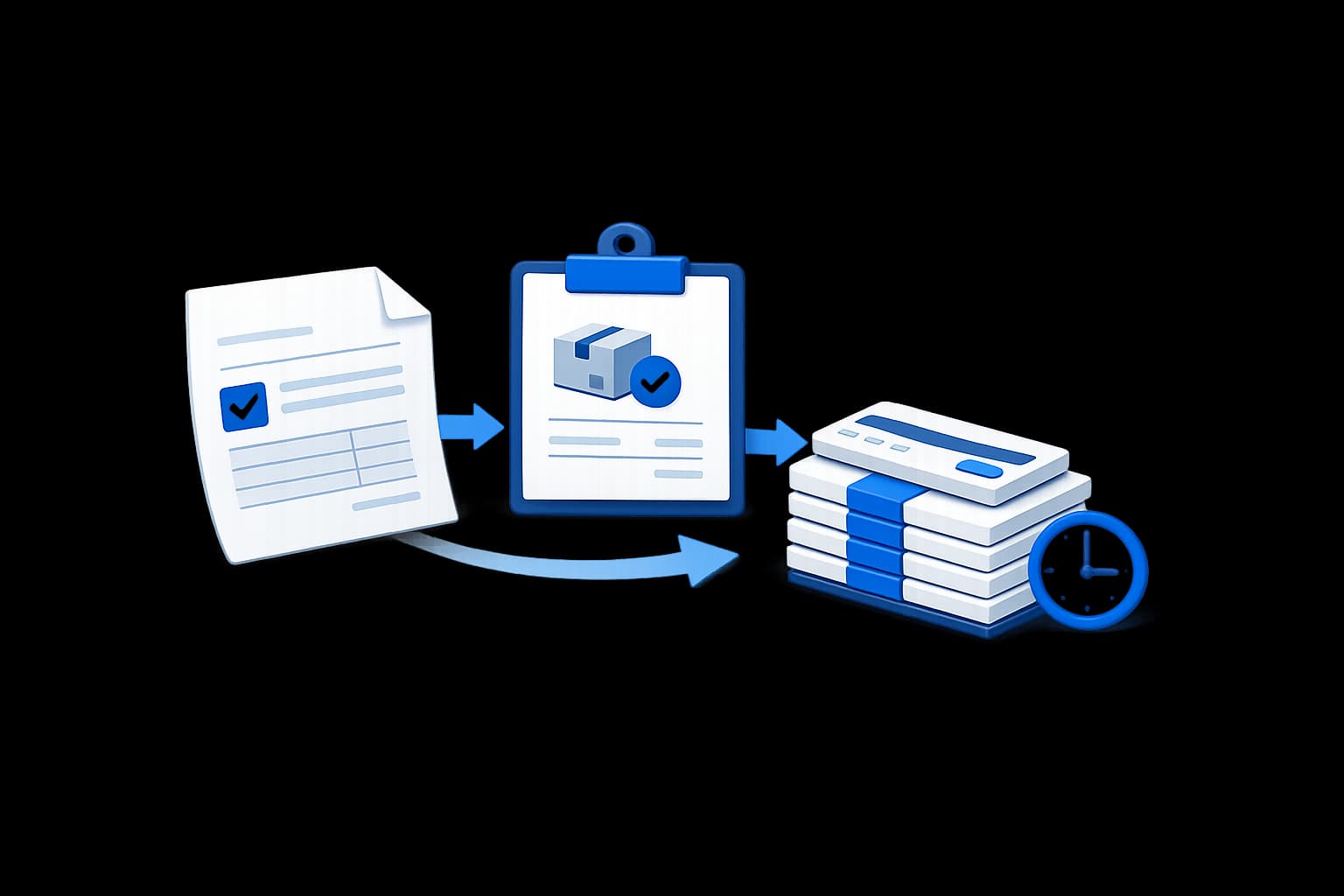
Check the supplier bill against what you ordered and what actually arrived.

Link the bill to its purchase order and goods receipt, approve it before payment, enforce three-way matching when required, and track the remaining payable through payment and aging.

Start freeSee pricing
Pipeline illustration
OverviewChart of AccountsJournalsBank ReconciliationAccounts PayableFinancial ReportsMulti-CurrencyAccounting Periods

Create the supplier bill with the purchasing evidence beside it

A supplier bill can store vendor, supplier invoice number, bill date, due date, currency, tax, total, amount paid, amount due, memo and internal notes. It can also point to the purchase order and goods receipt behind the purchase.

The save process checks that the supplier matches the linked PO and receipt and rejects duplicate supplier invoice numbers for the same vendor when the existing bill is not void.

Lynka
Banking
Reconciliation
Journals
Reports
Match selected
⌂
◔
≣
⌁
▦
Bank statement
Date
Description
Amount
Sep 04
BluePeak Trading transfer
USD 1,352.57
Sep 04
Card settlement
USD 820.00
Sep 03
Supplier payout
USD -540.20
Suggested match
Document
INV-2068
Customer
BluePeak Trading
Open balance
USD 1,352.57
Confidence
98%
Result
Ready to reconcile

Make approval a separate step before payment

New or edited supplier bills are saved as drafts with a pending approval state. Approval records who approved the bill, when and any approval notes.

The current AP controls default to requiring bill approval before payment can be applied. That means “bill entered” and “bill ready to pay” are not treated as the same event.

Lynka
Banking
Reconciliation
Journals
Reports
Match selected
⌂
◔
≣
⌁
▦
Bank statement
Date
Description
Amount
Sep 04
BluePeak Trading transfer
USD 1,352.57
Sep 04
Card settlement
USD 820.00
Sep 03
Supplier payout
USD -540.20
Suggested match
Document
INV-2068
Customer
BluePeak Trading
Open balance
USD 1,352.57
Confidence
98%
Result
Ready to reconcile

Compare the bill with what was ordered and what was received

Lynka’s three-way match process evaluates the supplier bill against purchase-order and goods-receipt evidence. Bill products can be allocated to specific received quantities rather than relying only on text references.

The supplier bill shows whether the purchase order and receipt agree with the invoice, and surfaces the reason when they do not.

Lynka
Banking
Reconciliation
Journals
Reports
Match selected
⌂
◔
≣
⌁
▦
Bank statement
Date
Description
Amount
Sep 04
BluePeak Trading transfer
USD 1,352.57
Sep 04
Card settlement
USD 820.00
Sep 03
Supplier payout
USD -540.20
Suggested match
Document
INV-2068
Customer
BluePeak Trading
Open balance
USD 1,352.57
Confidence
98%
Result
Ready to reconcile

Require a successful match before payment when the business chooses

Three-way-match enforcement is an AP setting. When enabled, payment application can be blocked until the bill passes the match requirement.

The control is configurable because not every supplier bill has the same purchasing pattern. Bills without required receiving allocations can remain outside a forced match when the workflow does not call for one.

Lynka
Banking
Reconciliation
Journals
Reports
Match selected
⌂
◔
≣
⌁
▦
Bank statement
Date
Description
Amount
Sep 04
BluePeak Trading transfer
USD 1,352.57
Sep 04
Card settlement
USD 820.00
Sep 03
Supplier payout
USD -540.20
Suggested match
Document
INV-2068
Customer
BluePeak Trading
Open balance
USD 1,352.57
Confidence
98%
Result
Ready to reconcile

Find stock that arrived before the supplier invoice

Lynka has received-not-billed logic that looks at posted goods receipts and identifies accepted quantities that have not yet been allocated to supplier bills.

The report can show supplier, PO, receipt date, received value, remaining quantity, due-date information and whether action is required. This is useful when the warehouse has the goods but Finance is still waiting for the vendor invoice.

Apply supplier payments without losing the bill balance

Supplier payments can store vendor, date, method, reference, amount, bank account, currency, base-currency amount and clearance status.

Payment applications allocate amounts against bills, which allows full or partial settlement while the remaining payable stays open.

See which supplier balances are open and overdue

A/P Aging groups unpaid supplier bills by age as of the selected date.

The payables data also supports open and overdue counts and values, so Finance can distinguish future obligations from bills that are already late.

Keep supplier currency and base-currency value together

Bills support transaction currency, the exchange rate used and the base-currency subtotal, tax and total. Supplier payments also support base-currency amounts.

If historical exchange-rate evidence is missing for a foreign-currency bill, the save logic can flag that exception instead of inventing a base value.

Post the approved supplier bill into Accounting

Supplier bills can create a journal entry when they are posted, using account information from the bill, products and accounting mappings.

For stocked items, Lynka can require a posted goods receipt before the supplier bill is approved or posted, so Finance does not treat undelivered stock as received inventory.

Add stronger payment controls when the business needs them

AP controls also include an optional segregation-of-duties setting around supplier payments.

That gives a growing team a path to stronger purchasing and payment controls without forcing every small workspace into the same approval model.

This is one of Lynka’s deeper finance areas. It covers the bill before approval, the receiving evidence behind it, the payment controls and the aging that remains afterward.

Accounts Payable gets risky when the invoice is treated as proof by itself. Lynka keeps the supplier bill beside the purchase order, warehouse receipt, approval decision and payment history so Finance can check the obligation before cash leaves the business.

Continue through Accounting

Accounting overview

Follow the financial records behind customer work.

Chart of Accounts

Follow the financial records behind customer work.

Journals

Follow the financial records behind customer work.

Bank Reconciliation

Follow the financial records behind customer work.

Questions about Accounts Payable

Can supplier bills link to purchase orders and goods receipts?

Yes. A bill can reference both the purchase order and posted goods receipt, and bill quantities can be allocated against receipt products.

Lynka

CRM for small businesses with lead generation, sales, quotes, invoicing, inventory, accounting and support.

Ask AI about Lynka

Product

  • Overview
  • Lead Generation
  • Sales
  • Agreements
  • Inventory
  • Accounting
  • Support
  • Marketing
  • Reporting

Built For

  • Overview
  • Small businesses
  • Agencies
  • Consultants & professional services
  • Distributors & wholesalers
  • Field service businesses
  • Small sales teams

Workflows

  • Agency Prospecting
  • Distributor Sales
  • Advisory Billing

Compare

  • vs HubSpot
  • vs Pipedrive
  • vs Zoho CRM
  • vs Excel

Company

  • Pricing
  • About
  • Support
  • Contact
  • Docs
  • Free tools

Legal

  • Privacy Policy
  • Terms of Service
© 2026 Lynka. All rights reserved.